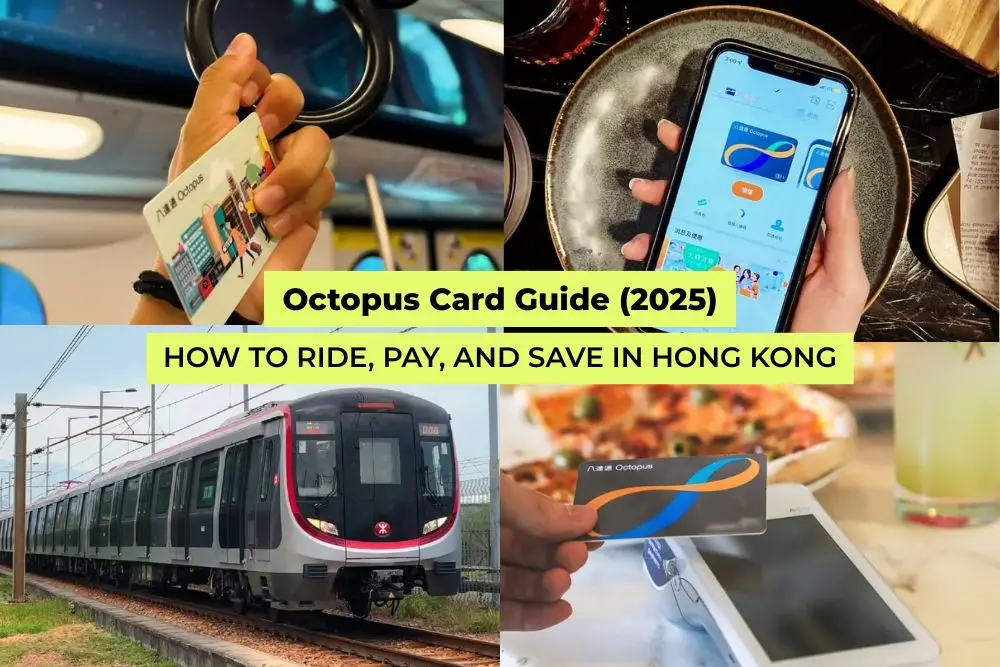
Planning a trip to Hong Kong? The Octopus Card is your go-to contactless smart card for public transport and everyday spending. It is a rechargeable card used by a large percentage of Hong Kong residents.
Whether you're hopping on the MTR, buying snacks, or riding the iconic Star Ferry, Octopus simplifies your travel. Used by 98% of Hong Kong residents, it’s a reliable and essential tool for navigating the city. The card's widespread adoption highlights its convenience and utility.
This guide explains everything you need to know – card types, where to buy, how to use it on public transport and beyond, including mobile setup, top-ups, refunds, and cross-border use.
1. What Is the Octopus Card and Why Do Travellers Need It?
Photo: @qipology on Instagram
The Hong Kong Octopus Card is a rechargeable contactless card used for transport, retail, and services across Hong Kong. It operates offline as a stored-value card, requiring no internet connection or bank account.
With over 190,000 acceptance points, it lets you tap and go on the MTR, buses, trams, ferries, and at places like 7-Eleven, supermarkets, cafés, and vending machines. The Octopus Card can be topped up easily at thousands of locations across Hong Kong.
It’s essential for visitors who want a fast, cashless experience across the city.
2. What Types of Octopus Cards Can Tourists Get?
Photo: @sailaway.lounge.hk on Instagram
Card Type | Best For |
|---|---|
Adult On-Loan Octopus | Most travellers needing flexibility |
Child On-Loan Octopus | Children aged 3 to 11 with concession fares |
Elder On-Loan Octopus | Seniors 65+ with reduced fares |
Tourist Octopus (Sold version) | Visitors wanting a non-refundable souvenir card |
Tourist Octopus - China T-Union | Travellers visiting Shenzhen, Macau, or Mainland China |
Short-term visitors typically choose an Adult On-Loan Octopus for flexibility or a digital Octopus on their phone. Tourist Octopus Cards can also be bundled with transportation services like the Airport Express.
3. Where Can I Buy an Octopus Card in Hong Kong?
Photo: @npiqueglobal on Instagram
You can buy an Octopus Card at:
Hong Kong International Airport: MTR counters, 7-Eleven, and Travelex in Arrivals.
MTR Stations: Customer Service Centres at all major stations.
Convenience Stores: 7-Eleven and Circle K sell Tourist Octopus cards. Some even have limited-edition designs.
Online via Pelago: Pre-book a Tourist Octopus – China T-Union card with USD 6.50 value. Collect at airport and skip queues.
Pelago offers convenience, especially for early or late arrivals. You'll receive a voucher to scan at a designated counter (such as Counter A13) and skip airport queues. Some travellers also earn KrisFlyer miles by booking through Pelago, which is perfect for your next holiday.
4. How Much Does an Octopus Card Cost in 2025?
Photo: @naoki_daily.and.travel on Instagram
Card Type | Total Cost | What You Get |
|---|---|---|
Adult On-Loan Octopus | USD 19 | USD 12.50 stored value + USD 6.50 refundable deposit |
Child/Elder On-Loan Octopus | USD 12.50 | USD 6 stored value + USD 6.50 refundable deposit |
Tourist Octopus (Sold) | USD 5 | No deposit, no stored value (non-refundable souvenir) |
Tourist Octopus - China T-Union | USD 5.40 | No deposit, no stored value (works in 336 Mainland cities and Macau) |
You can go up to USD 4.50 negative balance, allowing one last trip before needing to top up. The Octopus card allows a single transaction that results in a small negative balance.
5. How Do I Use the Octopus Card on Public Transport?
Tap once on entry/exit gates or card readers. A beep confirms successful payment. Here are the places you can use your Octopus card on:
MTR, Light Rail
Buses and green minibuses
Trams
Star Ferry
One tap is usually enough. Only some MTR and ferry systems require entry and exit taps.
If tapping fails, try removing your card or phone from wallets with other contactless cards or metal cases, as these can interfere with the reader. Users tap the card on readers to pay, topping up value at stations or convenience stores.
6. Can I Share One Octopus Card With Someone Else?
Photo: @visafotocom on Instagram
No. Octopus is meant for individual use.
For public transport like the MTR, you can't tap the same card twice within a short time window. Each person needs their own card.
7. Can I Use the Octopus Card for the Airport Express?
Yes. Tap in and out just like the MTR. It’s simpler than buying single tickets. Travelling in a group? Group tickets (for 2 to 4 passengers) may be cheaper than Octopus fares. Ask at the counter.
8. How and Where Can I Top Up My Octopus Card?
Photo: @food.hkg on Instagram
MTR Stations: Add Value Machines or counters (cash).
Convenience Stores: 7-Eleven and Circle K (cash).
Octopus App: Use Visa, Mastercard, or UnionPay to top up.
Top-up limit is USD 384. Most tourists top up in USD 6.50 to USD 13 increments.
9. How do I Use the Octopus Card App?
Photo: @ottopoon on Instagram
The Octopus App for Tourists lets you check your balance, top up with a credit card, view your trips, and register your card for loss protection.
If You Have a Physical Octopus Card:
Download the app and turn on NFC.
Tap Add Octopus and choose Add Physical Card.
Hold your card to the back of your phone to link it.
To top up, pay through the app and tap your card to your phone to complete the transfer.
If You Have a Digital Octopus:
Open the app and tap Add Octopus.
Choose Add New Card and top up with your credit card.
The balance updates automatically, with no tapping required.
10. How Can I Check the Balance on My Octopus Card?
Photo: @rachllam on Instagram
At MTR gates and readers (shows remaining balance).
Using the Octopus App.
At Add Value or balance check machines.
On receipts from Octopus-enabled purchases.
11. What Else Can the Octopus App Do?
The Octopus App can:
Track your trip and spending history
Allow card registration for loss protection
Enable fare alerts and top-up reminders
Report faulty cards and check refund status
It's worth installing for both physical and digital card users.
12. How Do I Add the Octopus Card to My iPhone or Apple Watch?
Open Apple Wallet.
Add new Octopus or transfer a physical card.
Pay deposit and top-up with Apple Pay.
Use Express Transit mode – no unlock or Face ID needed.
You can check and reload from Wallet or the Octopus App. You can even set it up before arriving by switching your phone region to Hong Kong.
13. How Do I Add the Octopus Card to an Android Phone or Samsung Pay?
Install the Octopus App for Tourists.
Add new Octopus or transfer physical card.
Pay with credit card.
Most modern Androids and Samsung Pay support Octopus via Google Wallet. Enable NFC and set Octopus as default.
14. Can I Transfer My Octopus Card to a New Phone?
Yes - for digital Octopus:
iPhone: Remove from Wallet and re-add on new phone using Apple ID.
Android: Use the Octopus App to restore if linked to your account.
For physical cards, balance doesn’t transfer. You’d need to refund and buy a new one.
15. Can I Use the Octopus Card in Macau or Shenzhen?
Standard Octopus: Not accepted in Macau or Mainland China.
Tourist Octopus – China T-Union: Accepted on public transport in Macau and 336 cities in Mainland China (e.g. Shenzhen). USD is converted automatically when used abroad. A special version of the Octopus card allows use for cross-border travel in Mainland China.
16. Where Can I Use the Octopus Card Besides Transport?
Photo: @8createive on Instagram
You can pay with Octopus at:
Convenience stores (7-Eleven, Circle K)
Supermarkets (ParknShop, Wellcome)
Fast food (McDonald’s, KFC, Café de Coral)
Cafés (Starbucks, Pacific Coffee)
Bakeries, vending machines, pharmacies, and some attractions (e.g. Peak Tram, Star Ferry)
17. Where Can't I Use Octopus?
Photo: @intsbydu on Instagram
Most taxis
Small local eateries or market stalls
Some hostels
Certain airport vending machines
Always carry some cash as backup for these situations.
18. Can I Use the Octopus Card for the Peak Tram or Star Ferry?
Yes. You can tap your Octopus Card at entry gates without needing a paper ticket. This saves time at Peak Tram queues and avoids coin change on the Star Ferry.
19. What’s the Difference Between the Octopus Card and Tourist Day Passes?
Photo: Sunny Day Station on Facebook
Tourist Day Pass: USD 9.60 for 1-day unlimited MTR (no buses, trams, or ferries).
Octopus Card: Pay-as-you-go for all transport. Offers more flexibility and better value unless you're only riding the MTR all day.
20. How Do I Get a Refund for My Octopus Card?
Return to MTR Service Centre (city or airport).
Refund includes remaining balance + USD 6.50 deposit.
USD 1.40 handling fee applies if returned within 90 days.
Tourist (Sold) cards: only balance is refundable; card cost is not.
Refunds over USD 64 may be delayed by cheque.
To avoid the USD 1.40 fee, try using your card for over 90 days or spend it down to under USD 1.30 before refunding.
If you want to keep your Tourist Octopus as a souvenir, you can request a partial refund (under USD 13) of the remaining balance without deactivating the card.
Digital Octopus users can refund through the app and get money sent back to their credit card.
21. What Should I Do If My Octopus Card Isn’t Working?
Photo: @cherry_voga on Instagram
Here are some of the reasons your Octopus Card isn't working, and how to fix it:
Low balance: Top up at any machine or store.
Card clash: Avoid tapping a wallet with multiple contactless cards.
Physical damage: Visit an MTR Centre; they may transfer balance to a new card (fee may apply).
Faulty readers: Try another gate or reader. Staff can help if needed.
22. How Do I Replace a Lost or Damaged Octopus Card?
Photo: @suryahazegawa on Instagram
Lost cards: Unregistered cards can’t be blocked. Buy a new one.
Registered digital cards: Block and restore using Octopus App or Apple Wallet.
Damaged cards: MTR can test and replace if needed. A USD 3.90 replacement fee may apply.
23. Is the Octopus Card Still Worth Using in 2025?
Definitely. The Octopus Card is still the fastest, most reliable way to pay for transport and everyday purchases in Hong Kong. It works offline, avoids foreign card fees, and is accepted nearly everywhere. With mobile compatibility and refund options, it’s a must-have for any visitor.